Paper vs. Digital Planners: Which Productivity System Is Best?
Navigate the pros and cons of digital apps versus physical notebooks, and find out how a hybrid approach might be the ultimate productivity hack.
📌 At a Glance (Key Takeaways)
- Paper planners stimulate tactile neuro-connections, boosting memory retention and emotional connection.
- Digital planners provide real-time notification alerts, automated recurring tasks, and cross-device syncing.
- The Hybrid Planning Framework combines the best of both worlds: digital for logistics, analog for focus.
- Choosing the right planner depends on personal work volatility and sensory preferences.
Direct Answer: The debate between paper and digital planners is resolved not by choosing one exclusively, but by understanding their unique cognitive functions. Digital planners excel at logistics, recurring alerts, and shared calendars, while paper planners excel at deep daily focus, memory retention, and intentional priority-setting through tactile handwriting.
The Great Planner Debate
In the world of productivity, few topics spark as much debate as the choice between digital and paper planners. For some, the idea of carrying a physical notebook feels archaic in the age of smartphones. For others, a digital calendar feels cold, cluttered, and easy to ignore. The truth is, there is no universally "correct" system. The best planner is simply the one you actually use. But understanding the psychological differences between the two can help you choose the right tool for your specific brain.
The Case for Digital Planning
Digital planners (like Google Calendar, Outlook, or Notion) excel at logistics. Their greatest strength is connectivity and automation. If you work in a corporate environment with constant meetings, a digital calendar is non-negotiable. It handles timezone conversions, recurring events, and team scheduling effortlessly.
Furthermore, digital tools offer searchability. If you need to know exactly when you had that sync with the marketing team last quarter, a quick search will find it. They are dynamic, adjusting instantly to the chaos of modern work.
The Case for Paper Planning
However, digital calendars have a massive blind spot: they lack tactile engagement. When you type an event into your phone, it requires very little cognitive effort. When you physically write something down, the act of forming the letters forces your brain to process the information deeply. This is why many people remember their appointments better when they write them in a physical planner.
Paper planners also offer a distraction-free environment. When you open a notebook, you are only looking at your schedule. When you open a calendar app, you are one notification away from an email, a text, or an endless social media scroll. Paper forces a slower, more intentional pace.
The Hybrid Approach
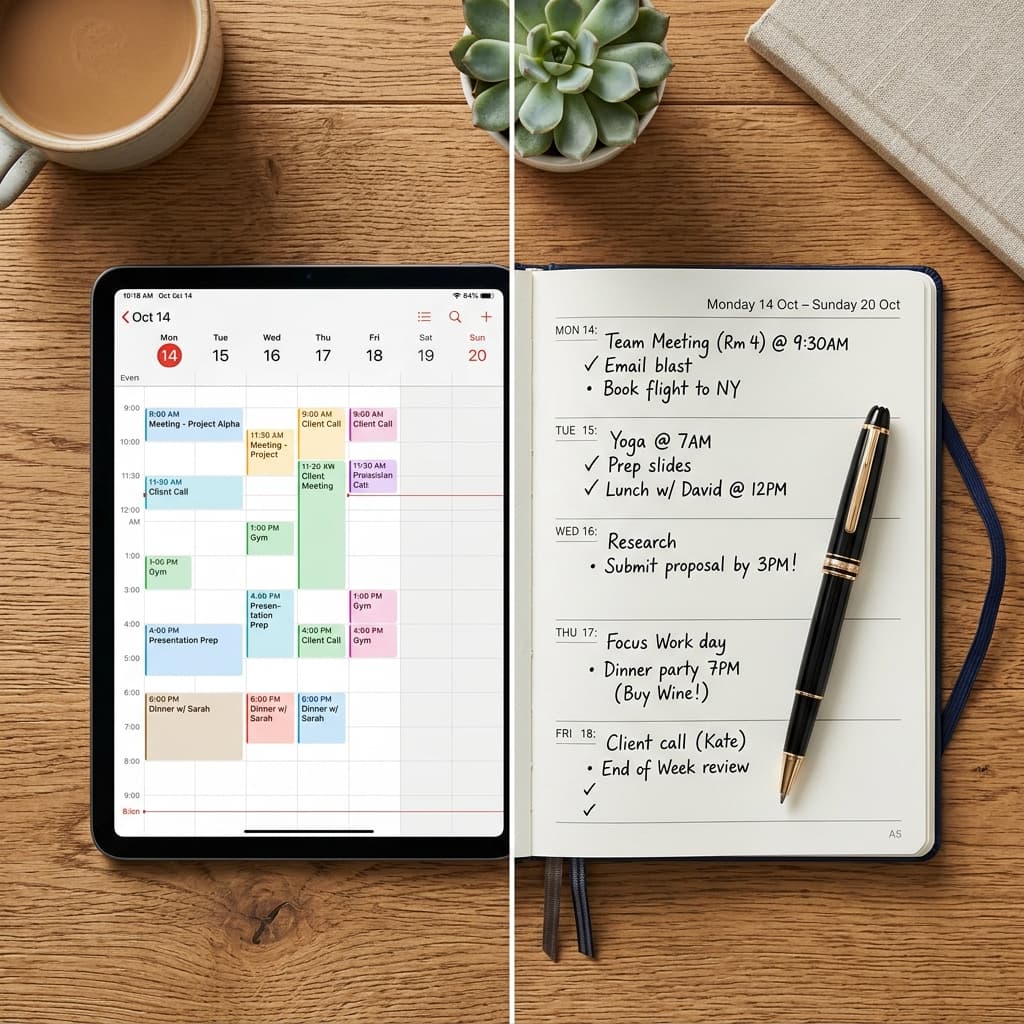
For many highly effective people, the solution isn't one or the other—it's both. The Hybrid Approach utilizes the strengths of each medium.
| System | Best Used For | Key Advantage |
|---|---|---|
| Digital Calendar | Meetings, appointments, hard deadlines, collaborative scheduling | Automated, connected, reminds you of hard stops |
| Paper Planner | Daily priorities, habit tracking, deep work blocking, journaling | Tactile, intentional, zero digital distractions |
How it works in practice: Use your digital calendar as the ultimate source of truth for your time commitments. Every morning, look at your digital calendar and transfer the hard appointments to your paper planner. Then, use the physical space of the paper planner to outline your top three priorities for the day and block out time for deep work. This gives you the logistical safety of digital with the focused intentionality of paper.
The Neurobiology of Planning: Handwriting vs. Screen Tapping
In our hyper-digitized lives, the debate between analog paper notebooks and sleek calendar apps continues to polarize productivity circles. Neuroscientists at the University of Tokyo have demonstrated that writing by hand on physical paper activates unique spatial and sensory neural pathways in the brain. The physical act of holding a pen, feeling the texture of paper, and spatially drawing lines creates an emotional and cognitive imprint that dramatically improves memory retention and commitment.
However, paper cannot send you a notification chime 10 minutes before a Zoom meeting, nor can it dynamically update a shared project calendar with your remote team.
In-Depth Analysis: The Strengths and Weaknesses of Each System
The Case for Paper Planners (The Analog Sanctuary)
- Zero Distractions: A physical notebook has no pop-up notifications, incoming slack pings, or open browser tabs tempting you to multitask.
- Spatial Memory Mapping: You intuitively remember where a task is written on a physical page (top left corner, bottom right), reinforcing cognitive recall.
- Tactile Satisfaction: Physically drawing a checkmark through a completed task releases a noticeable burst of dopamine that tapping a screen checkbox cannot replicate.
- Best For: Journaling, morning intention-setting, daily time-blocking, and creative brain-dumping.
The Case for Digital Planners (The Logistical Powerhouse)
- Real-Time Dynamic Syncing: Syncs across smartphone, laptop, smartwatch, and desktop instantly.
- Automated Recurring Tasks: Set a task to recur every Tuesday at 2:00 PM for the next 5 years with one click.
- Searchability: Find notes or meetings from two years ago in under 2 seconds using search filters.
- Best For: Meeting scheduling, project management, client reminders, and collaborative team calendars.
Comprehensive Feature Comparison Matrix
| Feature | Paper Planner (Analog) | Digital Calendar (Apps) | Ideal Winner |
|---|---|---|---|
| Memory & Goal Retention | ⭐⭐⭐⭐⭐ (High cognitive encoding) | ⭐⭐⭐ (Easy to forget) | Paper |
| Alerts & Reminders | ⭐ (Passive - requires opening) | ⭐⭐⭐⭐⭐ (Audible notifications) | Digital |
| Distraction-Free Focus | ⭐⭐⭐⭐⭐ (Zero notifications) | ⭐⭐ (Prone to digital drift) | Paper |
| Team Collaboration | ⭐ (Personal only) | ⭐⭐⭐⭐⭐ (Shared calendar invites) | Digital |
| Portability & Weight | ⭐⭐⭐ (Heavy book in bag) | ⭐⭐⭐⭐⭐ (Lives on phone) | Digital |
| Emotional Mindfulness | ⭐⭐⭐⭐⭐ (Deeply grounding) | ⭐⭐ (Clinical interface) | Paper |
The Hybrid Framework: The Best of Both Worlds
Rather than forcing yourself into a rigid either/or dichotomy, the most productive modern women use a Hybrid System:
- Digital as the Logistics Master (Google Calendar / Outlook): All meetings, appointments, flights, birthdays, and deadlines live digitally with audible reminders.
- Paper as the Daily Focus Compass: Every morning during your calm routine, open a clean daily page in your paper notebook. Write down your Rule of 3 top priorities and sketch your daily time blocks. Your paper notebook sits open on your desk all day as your anchor.
Explore daily time management in Time Blocking 101 and discover weekly routines in Sunday Reset Routine.
Behavioral Science & Sustainable Habit Mastery Protocol
Integrating new scheduling methods, wellness routines, and productivity frameworks into an already demanding lifestyle requires understanding the science of neuroplasticity and habit formation:
- The Power of Habit Stacking: Behavioral psychologist BJ Fogg demonstrated that new habits anchor best when attached to an existing, automatic routine. Use the formula: "After I [Current Automatic Habit], I will [New 2-Minute Habit]." (e.g., "After I pour my morning coffee, I will write down my Rule of 3 daily priorities.")
- Overcoming Friction & Cognitive Resistance: Motivation is an unreliable emotion that fluctuates with fatigue. Design your environment to make positive choices frictionless and distractions difficult (e.g., place your planner open on your desk, charge your phone across the room, and prep workout clothes before bed).
- Tracking Qualitative Energy Metrics: At the end of each week, spend 3 minutes reflecting on your energy levels: Which commitments energized you? Which drained you? Use these qualitative insights to continuously prune your calendar.
- The Grace of Non-Perfection: High achievers often abandon productivity systems the moment a single day is missed. Acknowledge that life is fluid and unpredictable. Missing one day is an anomaly; resuming the next day is the mark of true resilience.
- Establishing an Evening Digital Sunset: Power down email alerts and blue light screens at least 45 minutes before sleep to allow natural melatonin synthesis to initiate deep, restorative sleep cycles.
Frequently Asked Questions
What is the best hybrid planning system for beginners?
Use Google Calendar for all scheduled appointments and meetings, and keep a simple dot-grid notebook (like a Leuchtturm1917) on your desk to write down your 3 daily tasks and take meeting notes.
Why do I always abandon paper planners by February?
Most people buy pre-dated planners with rigid formats that induce guilt when days are missed. Switch to an undated bullet journal or blank notebook where missed days leave zero blank pages.
Can an iPad with the Apple Pencil replace a paper planner?
Digital planning apps (like GoodNotes or Notability) bridge the gap by offering the tactile feeling of handwriting with the portability and searchability of a digital device.
How do I choose between a daily, weekly, or monthly paper layout?
If you have 10+ daily tasks and time-block, choose a daily layout. If you manage high-level projects across days, a weekly horizontal spread provides the best balance of context and space.